For legal matters, investigations, and regulatory compliance, the discovery process can be labour-intensive but rewarding. Teams follow the paper trail and demand documents from the other side to find relevant information that can be submitted as evidence.

When the trail leads to soft copy documents and web-based communications, it's referred to as eDiscovery. Lawyers describe the review process as digital detective work in which they sift through emails, chat logs, workspace documents like in Office 365 (Word, Excel, etc.), and metadata.
Microsoft eDiscovery helps manage data from various sources for legal, compliance, and governance investigations. Read here to learn about what Microsoft eDiscovery is and what its benefits are.
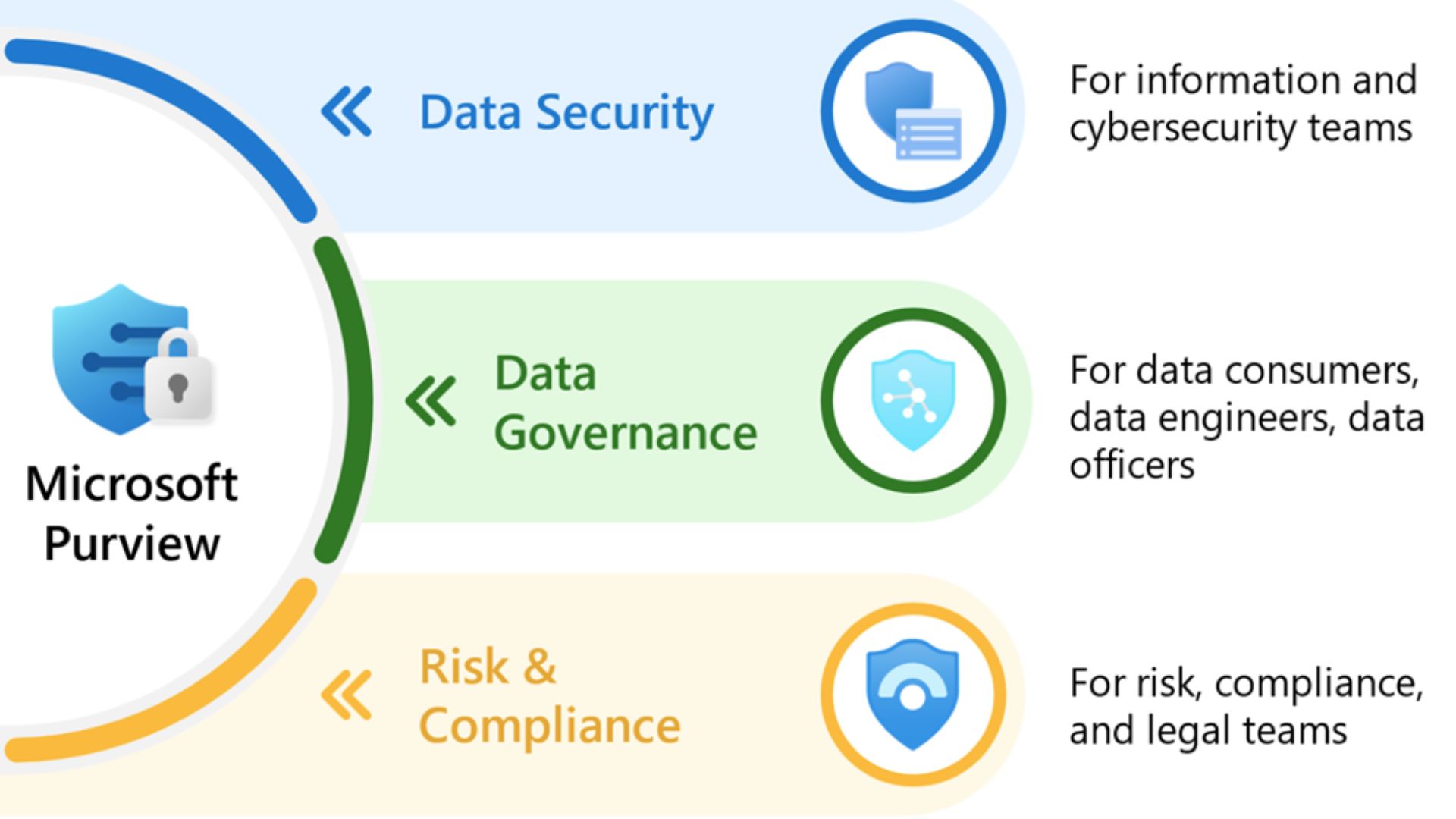
With Microsoft Purview training, you can learn to maximise the software and set up your internal processes.
In this blog post, I talk about Review Sets, the latest eDiscovery tools and trends, and some case studies to inspire you.
eDiscovery Review Sets Explained
Businesses have seen data volume increase by roughly 1,500% over the past decade, with projections of another 226% growth (reaching 181 zettabytes/year), according to a Microsoft report. How do investigative teams manage all this data?
In the Microsoft eDiscovery process, this is managed through Review Sets. These are centralised collections of documents added from searches. They also refer to collections within a case for detailed review, tagging, analytics, and production preparation.
Using them enables scalable collaboration, consistent decisions, and audit-ready workflows.
This helps investigative teams improve speed and consistency with features like:
Deduplication
Email threading
Near-duplicate detection
Keyword hits
And privilege safeguards
Microsoft eDiscovery Review Sets act as the operational heart of review. You can learn more about them through Microsoft Purview training with Lumify Work.
Microsoft eDiscovery Training and Trends to Watch
Cloud-based eDiscovery is forecast to become more common. 95% believe cloud-based eDiscovery will become the industry standard in the next two years.
Moreso, a legal-industry survey by Microsoft found that:
63% of legal professionals expect an increase in investigations over the next 2–3 years.
71% are exploring tech solutions like eDiscovery to streamline legal operations.
So, Microsoft Purview training is critical to help teams learn best practices, gain insights into maximising available tools, and discover the eDiscovery tools and trends. These trends include:
AI and machine learning: Predictive coding/TAR, relevance scoring, entity/relationship detection, and anomaly spotting.
Cloud-native integration: Direct collections from Microsoft 365, Teams, SharePoint, OneDrive, and modern SaaS platforms.
Cross-border compliance: Regional processing, data minimisation, and privacy-by-design under frameworks like GDPR.
Communication analytics: Timelines, conversation maps, and sentiment trends to surface key events and actors quickly.
Operational resilience: Standardised playbooks, RBAC, and audit trails across modern governance portals, replacing older consoles.
eDiscovery and Microsoft Purview Training in Action
Given this direction, you may wonder how you can use eDiscovery services in your organisation. I've compiled some case studies in different industries to inspire you to explore further through Microsoft Purview training.
Case Study 1: Email collection and reduction (law firm)
Challenge: A fraud case required reviewing hundreds of thousands of emails across multiple custodians.
Approach: Targeted collections, deduplication, threading, and AI-assisted culling in review sets.
Outcome: The team reduced the review population by over 70%, preserved key evidence, and significantly cut external counsel review hours.
Case Study 2: Procurement fraud detection (consulting)
Challenge: There was a need to flag and investigate potential vendor collusion and hidden kickbacks across disparate communications and invoices.
Approach: Communication analytics, keyword proximity searches, and pattern detection across emails and chats.
Outcome: The team identified coordinated messaging and anomalous approvals, leading to swift remediation and a favourable settlement.
Case Study 3: Energy company platform migration
Challenge: The organisation looked to move from a legacy tool to a modern eDiscovery environment without disrupting active cases.
Approach: Phased migration, chain-of-custody preservation, validation against exports and hash checks.
Outcome: The team achieved zero data loss, faster self-service collections, improved compliance reporting, and lower run costs.
Case Study 4: Financial services cloud integration
Challenge: An enterprise sought to adopt Microsoft 365 while adhering to strict IP controls and regulatory requirements.
Approach: RBAC hardening, case-based access, privileged source code isolation, and AI-assisted review.
Outcome: They achieved accurate responsiveness, minimised exposure of sensitive assets, and demonstrated compliance.
Case Study 5: Handwritten and scanned records analysis
Challenge: A regulatory enquiry required the review of large volumes of scanned PDFs and handwritten notes.
Approach: OCR and handwriting recognition, field extraction, and normalised analytics in review sets.
Outcome: The regulatory team set up rapid document triage, defensible productions, and clearer timelines for investigators.
These examples illustrate the practical value of combining strong governance, clear roles, and technology-enabled review sets to drive defensible, efficient outcomes.
Explore Microsoft Purview eDiscovery Training
The key to making Microsoft eDiscovery work is harmonising governance, permissions, and workflows, so the right people have the right access at the right time - without compromising security or compliance.
You can equip each role with the right skills through Microsoft Purview training with Lumify Work. These 1-day courses prepare you for an Applied Skills credential, too.
Microsoft SC-5003 - Implement Information Protection and Data Loss Prevention with Microsoft Purview - Gain the skills to use Microsoft Purview to improve your data security in Microsoft 365.
Microsoft SC-5007 - Retention, eDiscovery and Communication Compliance in Microsoft Purview - Learn how to manage data lifecycle, records management, eDiscovery, and communication compliance with Microsoft Purview.
As part of Lumify Group, Lumify Work has skilled more people in Microsoft technologies than any other organisation in Australia, New Zealand and the Philippines.
Learn from the recipients of the Microsoft MCT Superstars Award for FY24, which formally recognises those with the highest quality Microsoft Certified Trainers in ANZ. Contact us today. Access our eBook on cloud computing to learn about related technologies.