

Data is now one of the most valuable resources for businesses, but many organisations still struggle to quickly uncover useful insights. Microsoft Power BI has helped companies visualise and analyse data for years. With Copilot, users can explore reports, models, and dashboards in new ways.
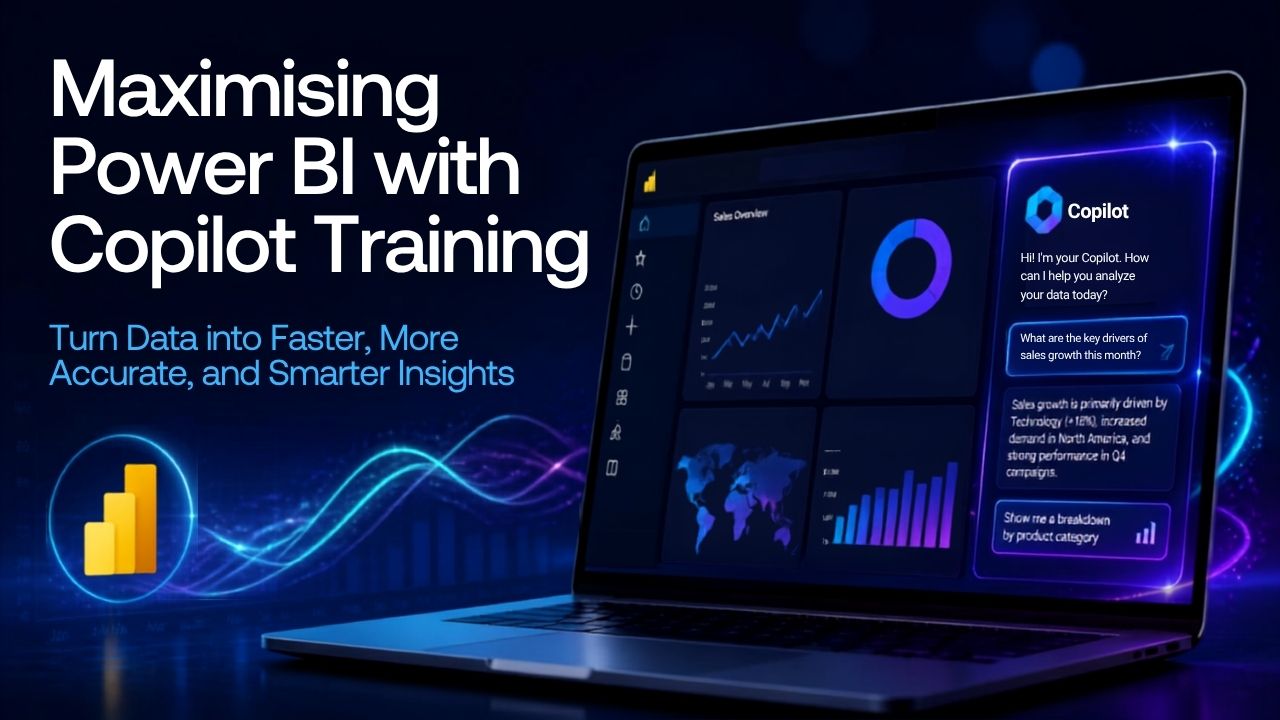
Copilot for Power BI brings together generative AI and business intelligence. Users can now ask questions in plain language, create reports, build DAX calculations, summarise data, and find insights more quickly.
For data professionals and analysts, Copilot is a step forward in analytics. AI helps reduce manual work and builds data validation into your workflows.
Once you complete Data, Analytics and Power BI Training with Lumify Work, you can get even more from AI by joining Copilot for Power BI Training with Nexacu.
What is Copilot for Power BI?
Copilot for Power BI is an AI assistant from Microsoft that works within Power BI and Microsoft Fabric. It uses generative AI to help users analyse data, create reports, generate visuals, write DAX queries, and summarise findings by answering questions.
Instead of spending hours building reports or searching through data, users can ask questions like:
"What were our top-performing products last quarter?"
"Summarise key sales trends this year."
"Create a report showing regional revenue performance."
In addition to data analysis, visual summaries, and reporting, Copilot for Power BI also supports governance and data validation. It uses the security, business rules, and data controls already set up in Power BI and Microsoft Fabric, working within your organisation's existing data governance framework.
Copilot Training for Power BI Matters for Data Professionals
Copilot’s main benefits are speed and trust. It respects your company’s existing permissions and security policies, and data stays within your organisation’s boundaries. You can also integrate Copilot into your current auditing, monitoring, and compliance processes to manage AI use and detect potential misuse.
You can use it to:
Discover insights from large and daunting data sets through natural language conversations.
Generate and update reports more efficiently. Simply describe the insights you want, then review the data yourself. Copilot always needs a human to check the results.
Create DAX calculations and queries using governed semantic models and existing business logic.
Automate repetitive tasks while aligning business requirements and decision-making standards.
Copilot helps experienced analysts work faster and ensure reports comply with data governance standards. Courses like Copilot for Power BI can help you unlock even more features.
How to Maximise Power BI with Copilot Training
Chat with Your Data
One of Copilot’s strongest features is that it can answer your data questions in plain language.
Instead of manually filtering reports or building new visuals, you can ask direct questions and get instant responses, summaries, and insights. Power BI Copilot can also help you find reports and analyse content.Accelerate Report Creation
Traditionally, building reports means choosing visuals, creating measures, and arranging pages. Copilot can make this much easier by generating report pages and visuals from your prompts. It can also suggest layouts and summaries to help tell your data’s story.Simplify DAX Development
DAX is one of the most valuable but also challenging skills for Power BI professionals. Copilot can help by generating DAX expressions and making it easier to build complex calculations.
This allows analysts to spend more time interpreting data and less time troubleshooting formulas.Create Faster Insights
Copilot can spot patterns, trends, and outliers in large datasets, helping organisations find useful insights that might otherwise be missed. It also creates clear summaries, making it easier to share findings with stakeholders.Prepare Data for Better AI Outcomes
Copilot is powerful, but it works best with high-quality data. Microsoft suggests preparing semantic models for AI so Copilot can understand your organisation’s context and give more reliable answers. Poorly organised or incomplete data can lead to less accurate results.
Experts also recommend keeping datasets clean, using consistent naming conventions, clear metadata, and strong governance to achieve the best results from AI-driven analytics.
Building on Existing Power BI Skills with Visual Calculations
For many professionals, Copilot is the next step after learning the basics of Power BI.
In our blog, Transform Your Data Skills: Learn Visual Calculations with Power BI Training, we showed how Power BI’s Visual Calculations let users do contextual analysis right in the visuals, without needing complex DAX. Visual Calculations help teams get insights faster and make reports easier to use and more flexible.
As AI features continue to improve, combining strong Power BI skills with Copilot can help professionals get even more value from their data.
From Power BI Training to Copilot Skills
If you’ve already finished Power BI training with Lumify Work, now is a great time to build your skills further with Microsoft Copilot training.
Data professionals in Australia, New Zealand, and the Philippines who have built reporting, modelling, and analytics skills through Lumify Work’s Power BI courses can continue to grow by exploring Microsoft Copilot courses, such as the Microsoft Power BI Certification from Nexacu.
Combining Power BI knowledge with Copilot skills enables professionals to:
Ensure accuracy in reporting.
Improve data analysis workflows.
Increase productivity through AI-assisted tasks.
Enhance decision-making with faster insights.
Prepare for the future of AI-driven analytics.
As more organisations use AI-powered business tools, professionals who know both analytics and Copilot will be ready to deliver even more value.
Explore Learning Pathways in Data & Analytics
Whether you’re building Power BI skills, exploring Microsoft Fabric, or starting with Copilot, ongoing learning is key.
Download the Data & Analytics eBook to find learning pathways in Microsoft, AI, data engineering, analytics, and new technologies. The guide shows how organisations can build stronger data skills for an AI-driven future.
Why Train with Lumify Work and Nexacu?
Lumify Work offers vendor-approved Data and Analytics training in Australia, New Zealand, and the Philippines. Together with Nexacu, part of the Lumify Group, we provide high-quality, instructor-led Microsoft app training for users across APAC.
Our certified trainers use the latest authorised courseware to deliver globally recognised courses and certifications. We received the Microsoft MCT Superstars Award for FY24, which recognises us as having the top Microsoft Certified Trainers in ANZ.
With Lumify Anywhere, you can take Data Analytics courses from home, the office, one of our campuses, or wherever works best for you.
Data and AI are shaping the future of analytics. By combining Power BI skills with Copilot, your team can find insights faster, make better decisions, and stay ahead in a data-driven world.