Download our guide to end user applications

Microsoft OneNote - The Essentials

  • Length 1 day
Course overview
View dates &
book now
Register interest

Why study this course

Learn about the features available in Microsoft OneNote - your digital notebook.

In this course, you'll get started by exploring the different parts of a notebook and learning how to navigate the OneNote interface. Understanding the OneNote environment and the components of a notebook, adding notes, and adding other content are the building blocks for learning OneNote.

Request Course Information


What you’ll learn

After completing this course, students will be able to:

  • Navigate OneNote using the ribbon, panes, and toolbars

  • Understand the different components of a notebook such as sections, section groups, pages, and note containers

  • Create a new notebook

  • Create and use OneNote templates

  • Customise the OneNote user interface


Microsoft Solutions Partner - Cloud - Training Services Logo

Microsoft Apps at Lumify Work

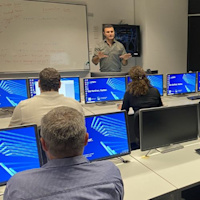
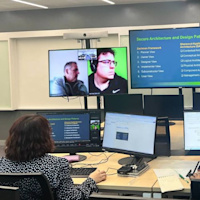
As part of Lumify Group, Lumify Work has skilled more people in Microsoft technologies than any other organisation in Australia and New Zealand. We have a campus in the Philippines, too. We offer the broadest range of instructor-led training courses, from end user to architect level.  We are proud to be the winner of the Microsoft MCT Superstars Award for FY24, which formally recognises us as having the highest quality Microsoft Certified Trainers in ANZ. 


Who is the course for?

This course is intended for people in a variety of roles and fields who have a basic understanding of Microsoft Office and want to incorporate digital note-taking and note collaboration by using Microsoft OneNote.


Course subjects

Topic A: Navigate the OneNote Environment

  • Notebooks

  • Microsoft OneNote

  • OneNote Versions

  • The OneNote Window

  • The Ribbon

  • The OneNote Ribbon Tabs

  • Notebooks Pane

  • Sections

  • Section Groups

  • Pages

  • Note Containers

  • How to Create OneNote Notebooks

  • Navigating the OneNote User Interface

  • Creating a New Notebook

Topic B: Use Templates

  • Page Templates

  • Custom Page Templates

  • How to Work with the Page Templates

  • Using and Creating Page Templates

Topic C: Customise the OneNote User Interface

  • OneNote Options Dialog Box

  • Quick Access Toolbar Options

  • OneNote Window Views

  • How to Customise the User Interface within OneNote

  • Customising OneNote Window Options


Prerequisites

None


Terms & Conditions

The supply of this course by Lumify Work is governed by the booking terms and conditions. Please read the terms and conditions carefully before enrolling in this course, as enrolment in the course is conditional on acceptance of these terms and conditions.


Request Course Information

Awaiting course schedule

If you would like to receive a notification when this course becomes available, enter your details below.

Personalise your schedule with Lumify USchedule

Interested in a course that we have not yet scheduled? Get in touch, and ask for your preferred date and time. We can work together to make it happen.


Offers

  • PowerPoint 2 Course Program
    Become Microsoft PowerPoint certified and stand out from the crowd Validate your specialised skills with PowerPoint Level 1 and 2. Our two courses are jam-packed with tips and tricks that will revolutionise how you create presentations. The MO-300 exam and PowerPoint Associate certification will demonstration to employers your extensive knowledge of PowerPoint. We deliver great value by combining our two PowerPoint courses and the Microsoft certification into one package. In your certification package you will receive a Microsoft practice exam, the official exam, a free re-sit, and upon successfully passing the exam, the official Microsoft certification. Certification: Microsoft Certified: PowerPoint Associate Exam: MO-300 Duration: 2 days of courses Plus home practice Inclusions: 2 x courses + Practice exam
  • Excel 2 Course Program
    Become a Microsoft Excel certified expert with MO-200 or MO-201 Embark on the journey with Excel Advanced & Expert Courses. Proficiency in Excel is a valuable asset that can open doors to countless opportunities. Our comprehensive training programs will equip you with the necessary skills and knowledge to excel in Excel. Choose between the Excel Specialist or Excel Expert exam options, and upon successful completion, earn one of the prestigious Microsoft Certifications. Certification: Microsoft Certified: Excel Specialist or Excel Expert Exam: MO-201 Duration: 2 days of courses Plus 2-3 hours per week Inclusions: 2 x courses + Practice exam
  • Excel 3 Course Program
    Become a Microsoft Excel certified expert with MO-200 or MO-201 Embark on the journey with Excel Intermediate, Advanced & Expert Courses. Proficiency in Excel is a valuable asset that can open doors to countless opportunities. Our comprehensive training programs will equip you with the necessary skills and knowledge to excel in Excel. Choose between the Excel Specialist or Excel Expert exam options, and upon successful completion, earn one of the prestigious Microsoft Certifications. Certification: Microsoft Certified: Excel Specialist or Excel Expert Exam: MO-201 Duration: 3 days of courses Plus 2-3 hours per week Inclusions: 3 x courses + Practice exam
  • Excel 4 Course Program
    Become a Microsoft Excel certified expert with MO-200 or MO-201 Embark on the journey with Excel Beginner, Intermediate, Advanced & Expert Courses. Proficiency in Excel is a valuable asset that can open doors to countless opportunities. Our comprehensive training programs will equip you with the necessary skills and knowledge to excel in Excel. Choose between the Excel Specialist or Excel Expert exam options, and upon successful completion, earn one of the prestigious Microsoft Certifications. Certification: Microsoft Certified: Excel Specialist or Excel Expert Exam: MO-201 Duration: 4 days of courses Plus 2-3 hours per week Inclusions: 4 x courses + Practice exam
  • Power BI 3 Course Program
    Become Microsoft Certified and stand out from the crowd Demonstrate your Power BI knowledge with a Microsoft Certified achievement. Book and sit Intermediate, Advanced & Dax Power BI Courses. Power BI skills are highly sought after by business intelligence professionals. Gain confidence in your knowledge and skill level in business intelligence tools by getting a Power BI certification. PL-300 has replaced DA-100. As Microsoft Power BI use starts to become more widespread across industries, employers are seeking specialised skills and expertise in performing technical tasks such as creating customised visual reports and utilising the essential features of the Power BI desktop. Certification: Microsoft Certified: Data Analyst Associate Exam: PL-300: Microsoft Power BI Data Analyst Duration: 3 days of courses + Plus 2-3 hours per week Inclusions: 3 x courses, Unlimited support, Practice exam, Certification exam + 1 free resit of the exam only
  • Power BI 4 Course Program
    Become Microsoft Certified and stand out from the crowd Demonstrate your Power BI knowledge with a Microsoft Certified achievement. Book and sit Beginner, Intermediate, Advanced & Dax Power BI Courses. Power BI skills are highly sought after by business intelligence professionals. Gain confidence in your knowledge and skill level in business intelligence tools by getting a Power BI certification. PL-300 has replaced DA-100. As Microsoft Power BI use starts to become more widespread across industries, employers are seeking specialised skills and expertise in performing technical tasks such as creating customised visual reports and utilising the essential features of the Power BI desktop. Certification: Microsoft Certified: Data Analyst Associate Exam: PL-300: Microsoft Power BI Data Analyst Duration: 3 days of courses + Plus 2-3 hours per week Inclusions: 3 x courses, Unlimited support, Practice exam, Certification exam + 1 free resit of the exam only
  • Power BI 2 Course Program
    Become Microsoft Certified and stand out from the crowd Demonstrate your Power BI knowledge with a Microsoft Certified achievement. Book and sit the Advanced & Dax Power BI Courses. Power BI skills are highly sought after by business intelligence professionals. Gain confidence in your knowledge and skill level in business intelligence tools by getting a Power BI certification. PL-300 has replaced DA-100. As Microsoft Power BI use starts to become more widespread across industries, employers are seeking specialised skills and expertise in performing technical tasks such as creating customised visual reports and utilising the essential features of the Power BI desktop. Certification: Microsoft Certified: Data Analyst Associate Exam: PL-300: Microsoft Power BI Data Analyst Duration: 2 days of courses + Plus 2-3 hours per week Inclusions: 2 x courses, Unlimited support, Practice exam, Certification exam + 1 free resit of the exam only
  • Microsoft Bundles
    Master Microsoft skills, from fundamentals to advanced levels. Choose from bundles or private class options and SAVE up to 35% on training costs.